Go-Live
After completing production environment configuration, you can release the application and officially go live.
Version Management
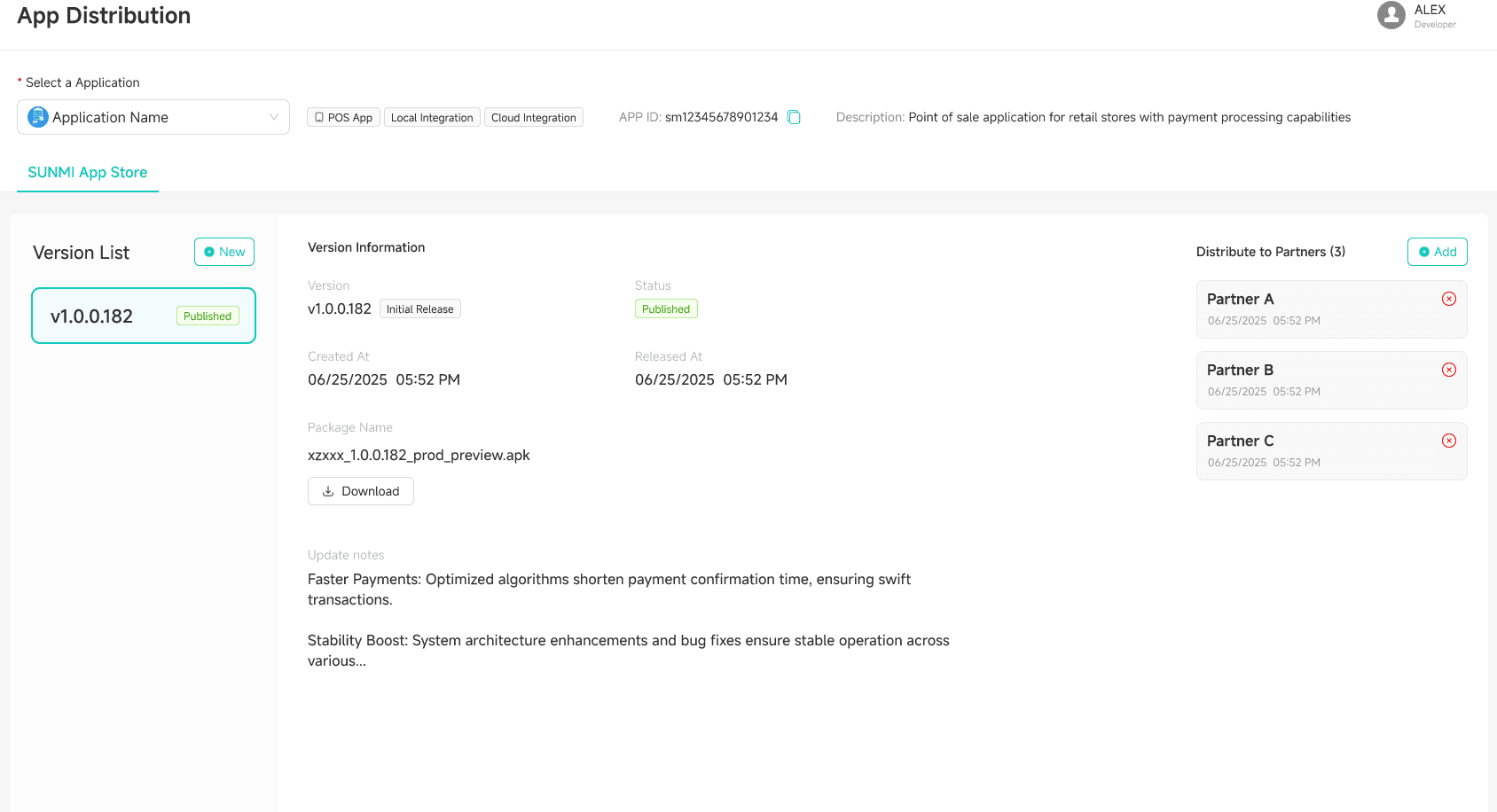
If your application is installed on SUNBAY devices or payment terminals, you can manage app listing, delisting, and push installation through the SUNMI App Store.
Simply upload your version to the SUNMI App Store, and ISO payment service providers can push application installation and updates to merchant devices.
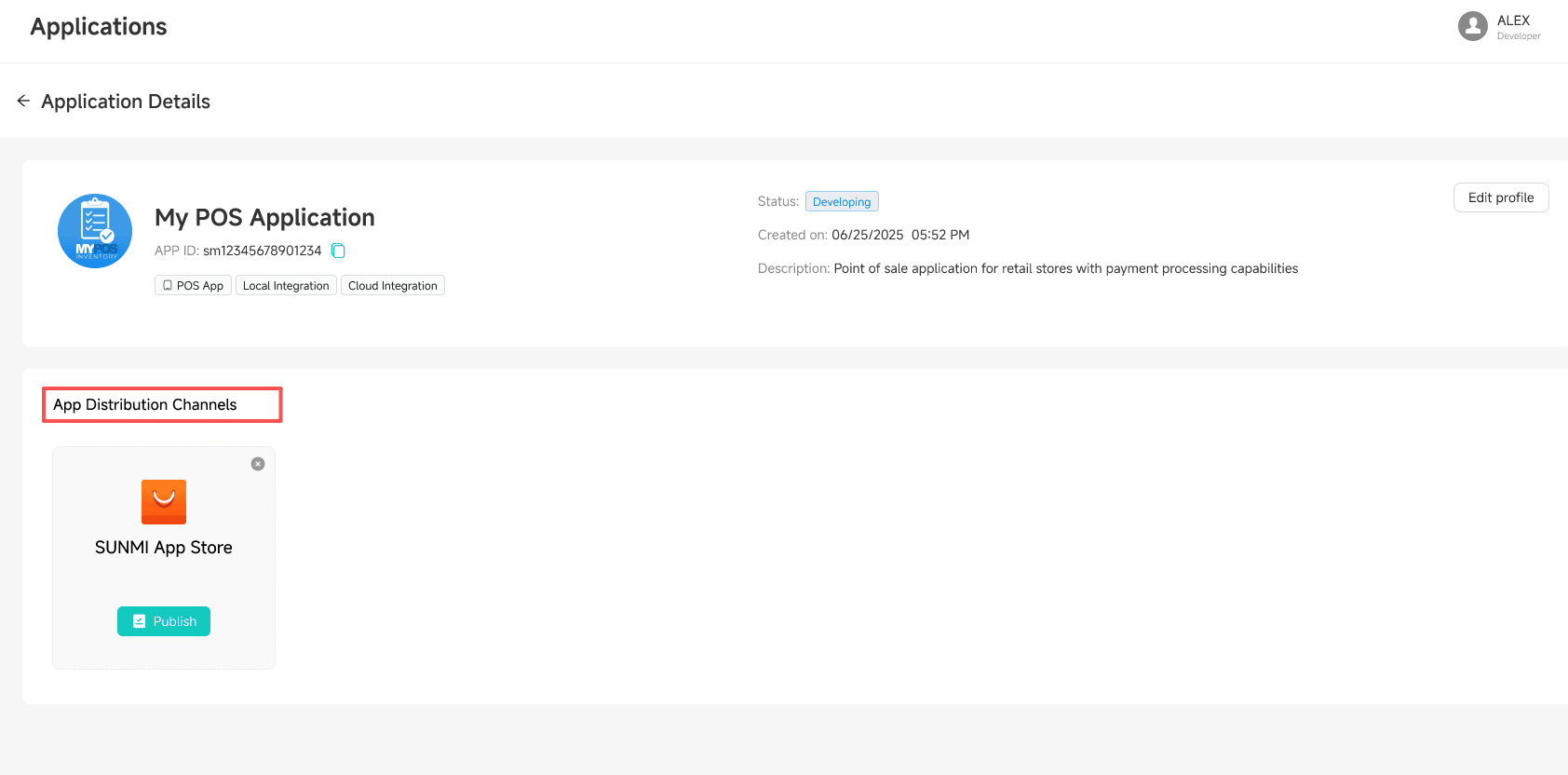
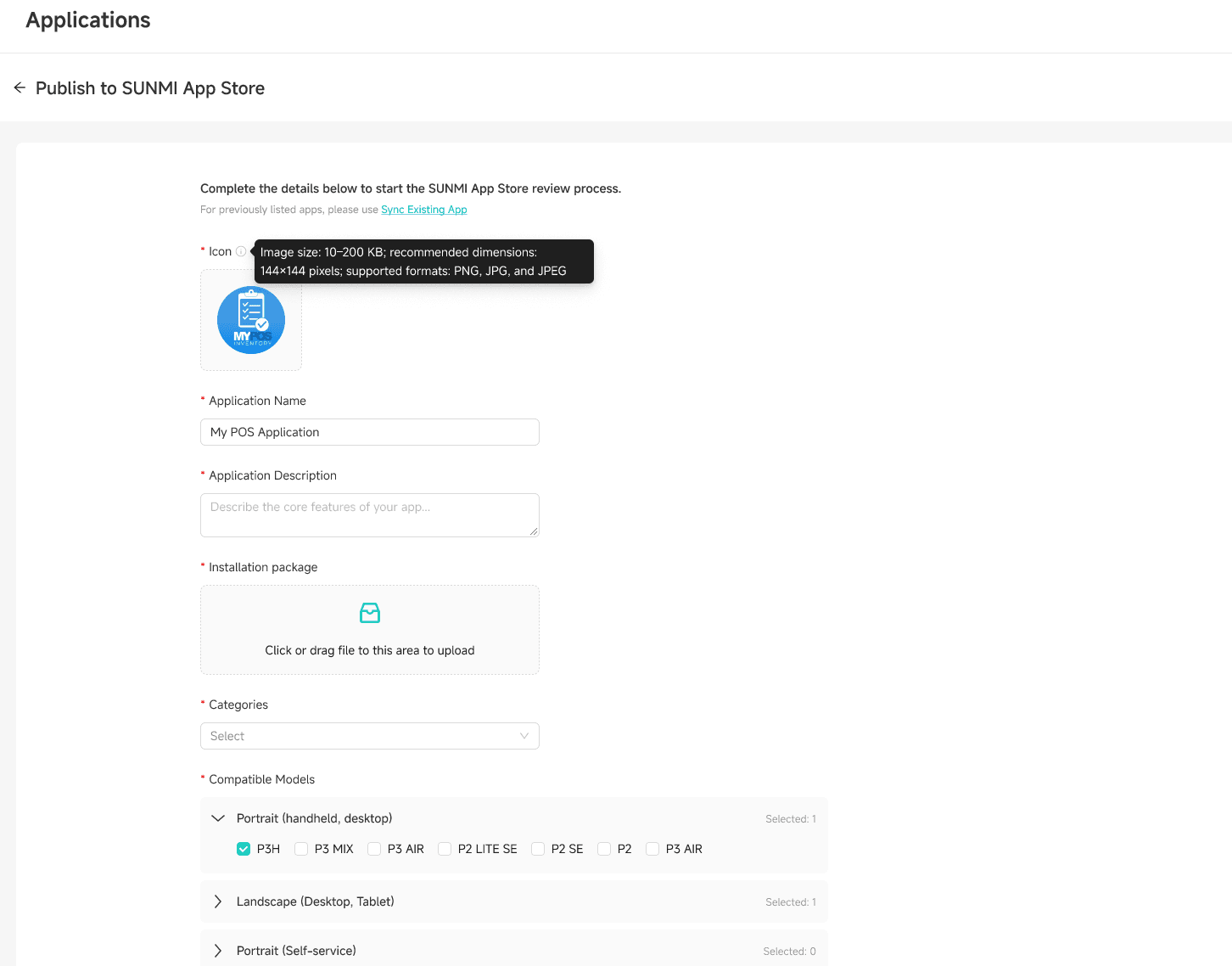
Release Application
Once all test cases are passed, the system will automatically review or manually review your application. After approval, your application will be published to the production environment and begin accepting live transactions.
App Sharing & Adding
Depending on your business role, the way to obtain application usage permissions differs:
ISO as ISV (Self-developed App)
If you are an ISO payment service provider and also created the application as an ISV, you do not need to manually add the application in the Copilot portal. After the application is created and published, it will automatically appear in your Copilot application list.
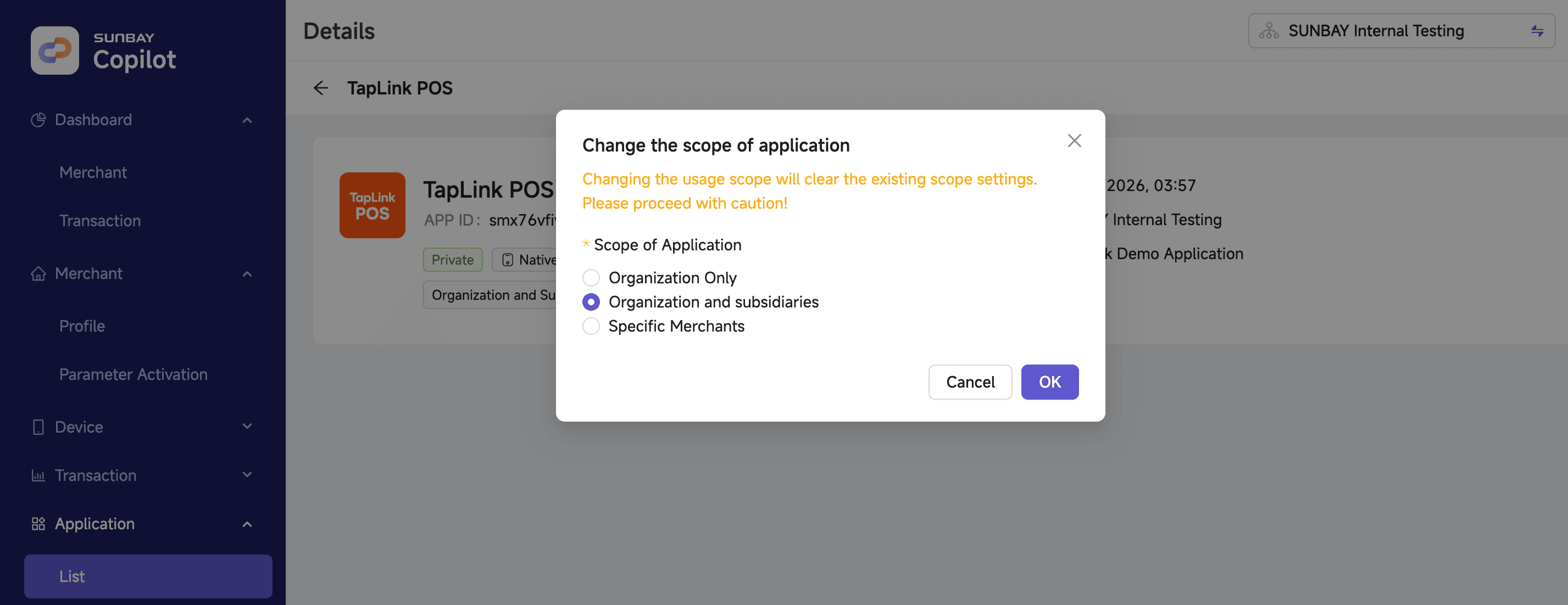
You still need to set the application usage permission scope:
- Current Organization: Only the current ISO organization can use the application
- Current Organization and Sub-organizations: Both the current ISO and its sub-organizations can use the application
- Specified Merchants: Only authorized specific merchants can use the application
Push App Installation
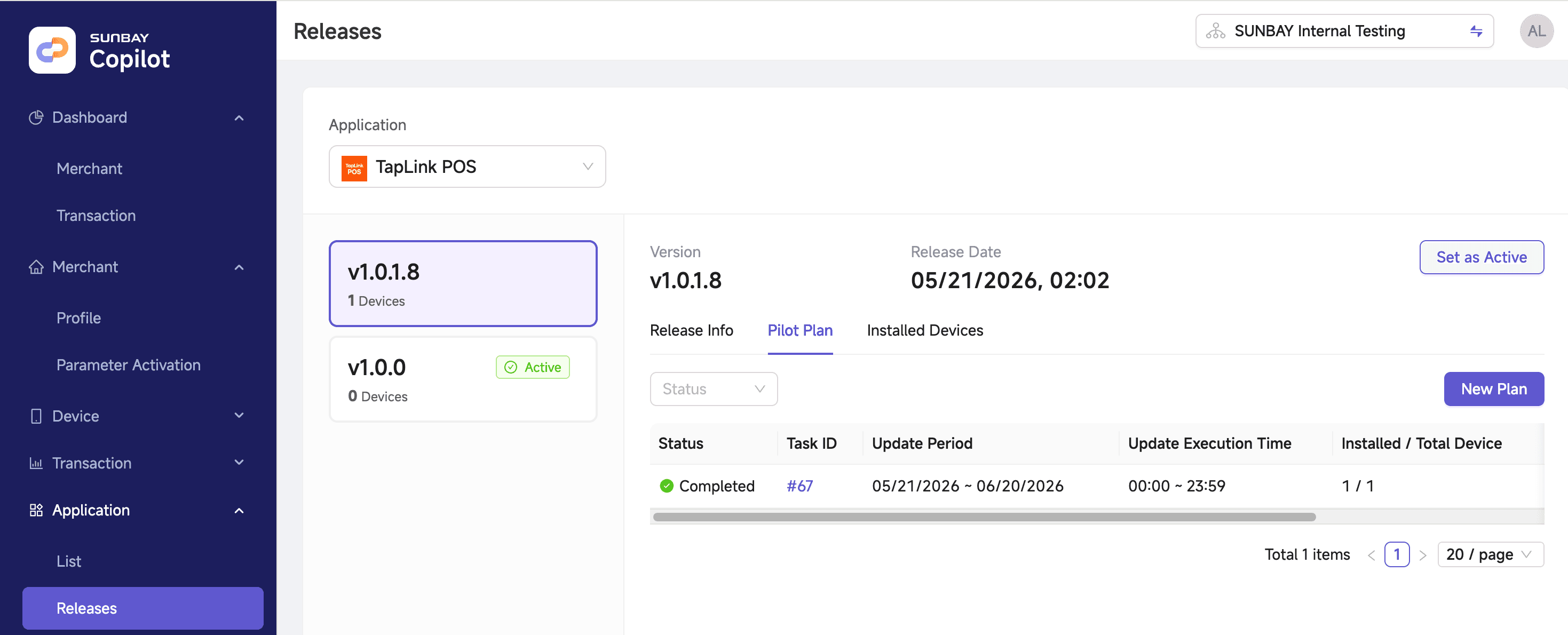
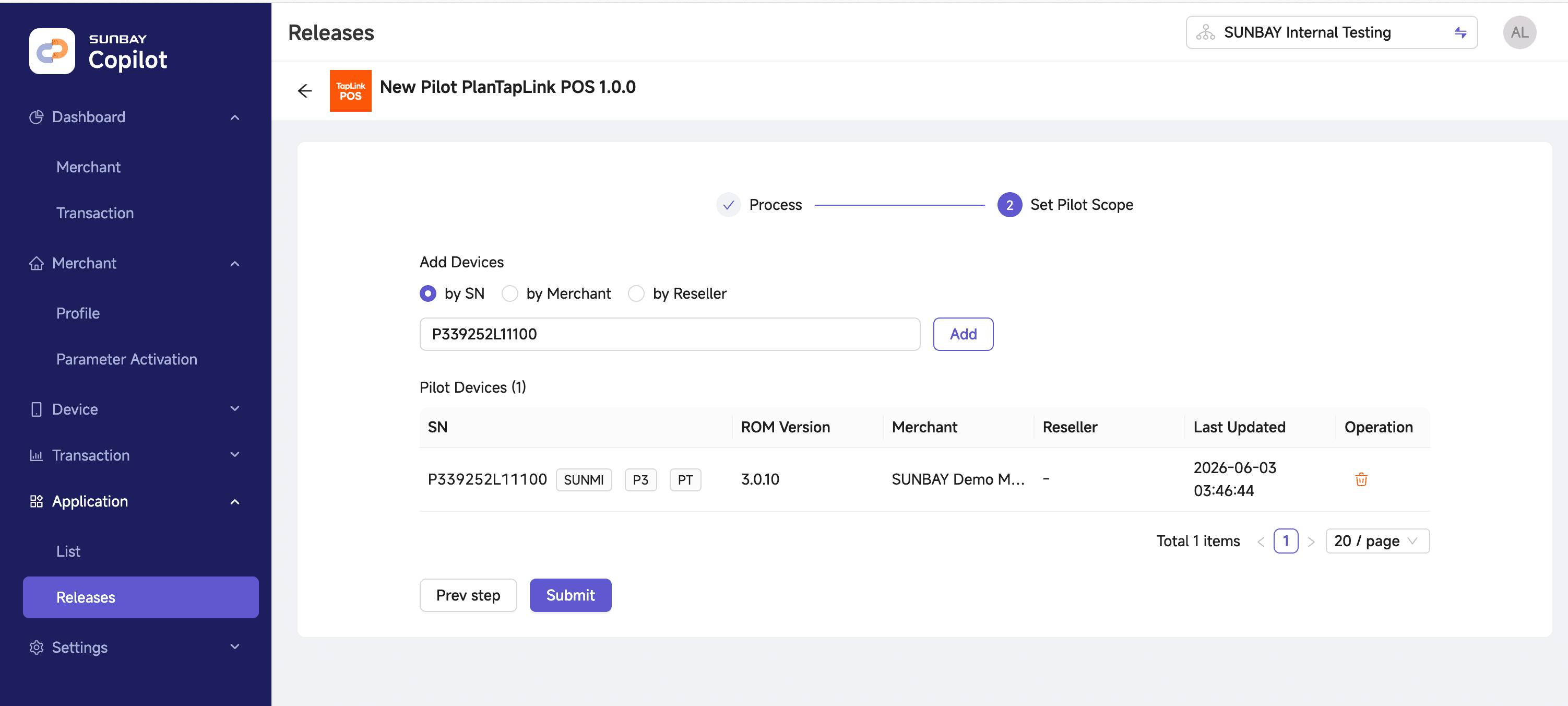
If the ISV application is installed on SUNMI terminal devices, the ISO payment service provider needs to push the application installation package to merchant terminals to complete the installation or update.
Steps:
- Log in to the Copilot portal and navigate to the application management page
- Select the target application and push the installation package to merchant terminals
- Merchant terminals will automatically download and install/update the application
Go-Live Testing
Before officially opening for business, it is recommended to conduct small amount real transaction testing:
-
Execute Test Transactions
- Use real card numbers to initiate small amount payments
- Verify payment process completeness
- Confirm transaction data is recorded correctly
-
Verify Webhook Notifications
- Confirm receipt of payment success notification
- Verify notification content is complete and accurate
- Check signature verification is normal
-
Test Refund Process
- Initiate refund for test transactions
- Verify refund process is normal
Production environment testing will incur real fees. It is recommended to use small amounts and refund promptly.
Technical Support
Contact SUNBAY technical support promptly when encountering problems:
-
Support Channels
- Contact your account manager or sales representative
- For emergencies, call the hotline provided by your account manager
-
Problem Feedback Information
- Application ID and Merchant ID
- Problem occurrence time
- Transaction ID, order number, or traceId
- Error messages and logs
FAQ
Can configuration be modified after application release?
Yes. You can modify application security configuration (such as credentials, IP whitelist, etc.) at any time. Changes take effect immediately. However, it is recommended to make configuration changes during off-peak hours.
Will disabling the application affect existing transactions?
Yes. After disabling the application, all transaction operations will not be possible, including new transactions, queries, and refunds. Please operate with caution.
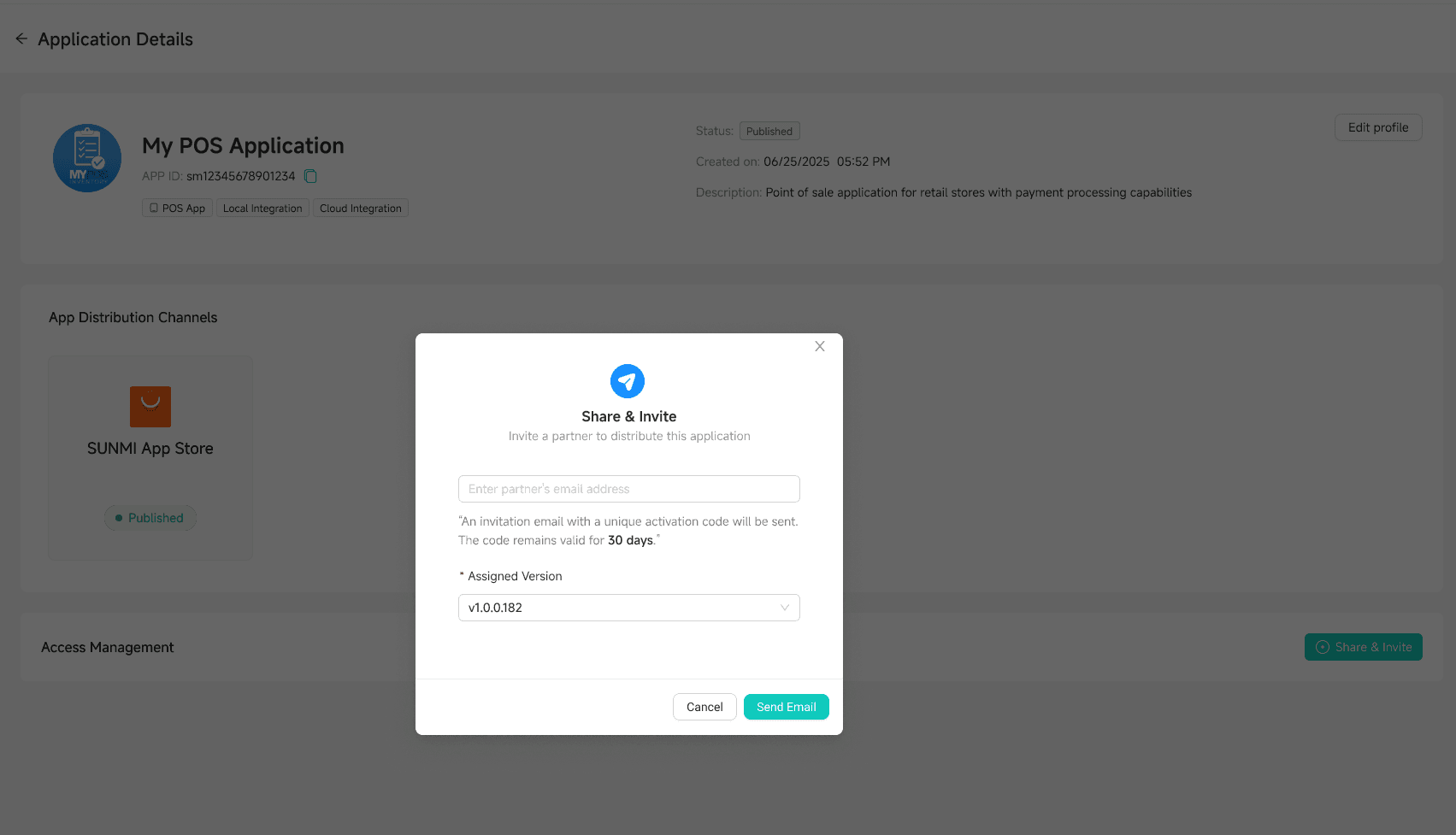
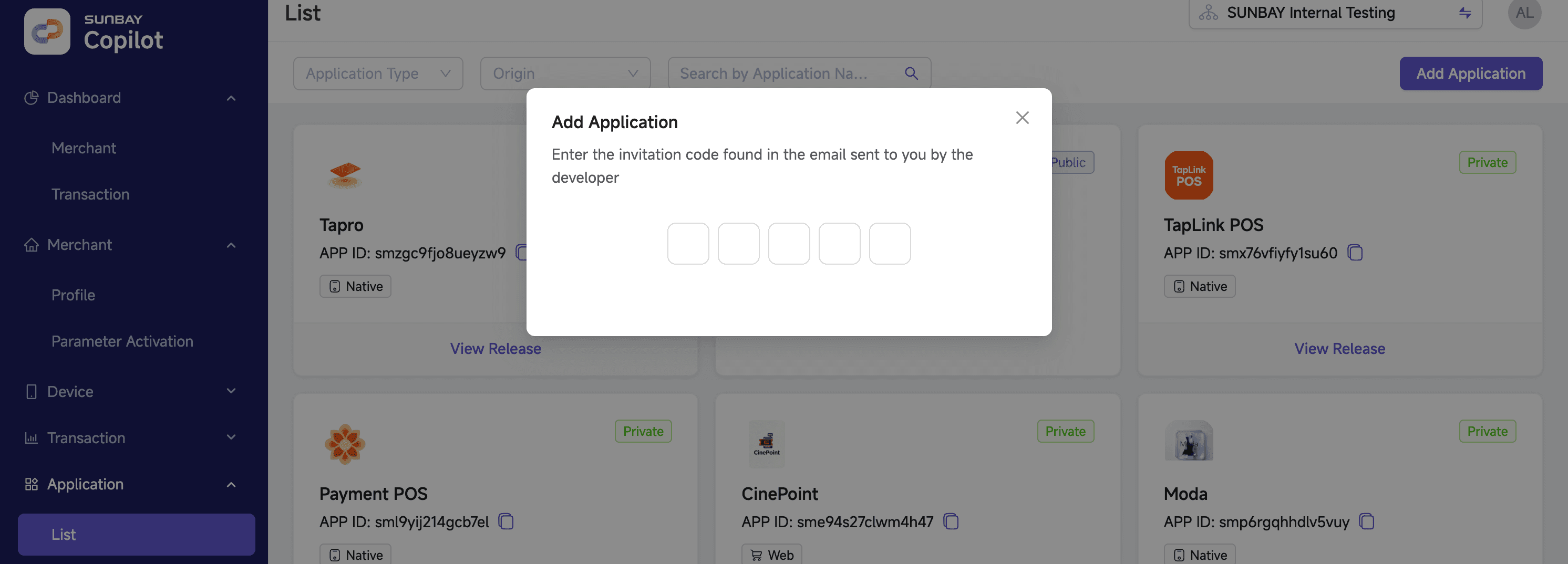
How do ISV developers share an application?
Get the sharing code from the application details page and provide it to ISO payment service providers. They can add the application in the Copilot portal to obtain usage permissions.
How to update an application already installed on devices?
After uploading the new version to the SUNMI App Store, ISO payment service providers can push updates to merchant devices through the App Store.
Congratulations! 🎉 Your application is now live. Contact technical support anytime if you have any integration questions.